The All-in-One Client Portal for Effortless Garment Manufacturing
Running a fashion brand is exciting, but managing garment production can quickly become stressful. If you have ever produced clothes, you know the struggle: endless WhatsApp threads, buried emails, lost measurement sheets, and wondering when your samples will finally be ready. At Megaya Bali Garment Manufacturer, we believe making clothes should be organized, transparent, and easy.
That is why we created Studio Megaya.
Studio Megaya is our dedicated client portal and digital management system designed to give fashion brands, designers, and business owners total visibility and real-time tracking over their entire manufacturing process. From initial sampling to final bulk production, Studio Megaya keeps everything you need in one secure digital home.
What is Studio Megaya?
Studio Megaya (studio.megayabali.com) is an all-in-one digital workspace built specifically for clients working with Megaya Bali Garment Manufacturer. Instead of relying on messy spreadsheets or chasing status updates over chat apps, Studio Megaya digitizes the entire garment manufacturing workflow. It serves as a central hub where you can track order progress, review technical drawings, check size charts, inspect invoices, and manage your billing 24/7.
Why you need Studio Megaya?
Traditionally, manufacturing garments involves a lot of friction. Miscommunication can lead to costly mistakes, delayed launch dates, and budget overruns. Studio Megaya solves these issues by bringing structure and transparency to every stage.
24/7 Real Time Tracking
Say goodbye to manual status updates. You no longer need to message your project manager just to ask, “Is my sample finished yet?” Studio Megaya allows you to log in at any time to see the exact stage of your sample or bulk production order—whether it is in Pattern Creation, Cutting, Sewing, QC (Quality Control), or Revision.
Complete Visual & Technical Clarity
Keeping track of design updates across multiple email threads can lead to manufacturing errors. Studio Megaya features Centralized Digital Specs. All your flat technical sketches, tech packs, size charts, measurement spec sheets, and color variants (S, M, L) are stored in one digital library.
Financial Transparency & Frictionless Billing
Unexpected costs can ruin a collection launch. With Studio Megaya, you get a clear cost breakdown for every order. You can easily check initial unit costs, track deposit/down payment requirements, see remaining balances, and download official PDF invoices with a single click.
Efficient & Professional Collaboration
Studio Megaya acts as your single source of truth. By replacing lost notes, scattered spreadsheets, and buried messaging apps, it gives your fashion brand a professional workspace where every quotation, invoice, and design iteration lives safely in one place.
Time & Cost Efficiency to Help You Scale
Faster approvals mean faster turnarounds. With real-time visibility, you can review and approve stages quickly, keep your sales calendar strictly on schedule, and scale your fashion collections with confidence.
Features Inside Studio Megaya
Here is a closer look at what you can do inside the portal:
| Feature | Description |
|---|---|
| Live Sample Tracking | Monitor every step of sample development (Fabric, Pattern, Cutting, Sewing, QC, Revision) in real time.PDF |
| Production Status | Track bulk manufacturing progress from raw fabric arrival all the way to final packing.PDF |
| Digital Sample Gallery | Store and review flat technical sketches, tech packs, and design variations in an organized workspace.PDF |
| Size & Measurement Records | Easily inspect exact measurement charts, size breakdowns (S, M, L), and garment specs.PDF |
| Invoicing & Financial Tools | Review detailed cost breakdowns, check payment statuses (Paid, Draft, Payment Due), and download official PDF invoices. |
How to Use Studio Megaya
Using Studio Megaya is simple and straightforward. Here is a step-by-step walkthrough of how you can navigate your client portal:
Access the Portal
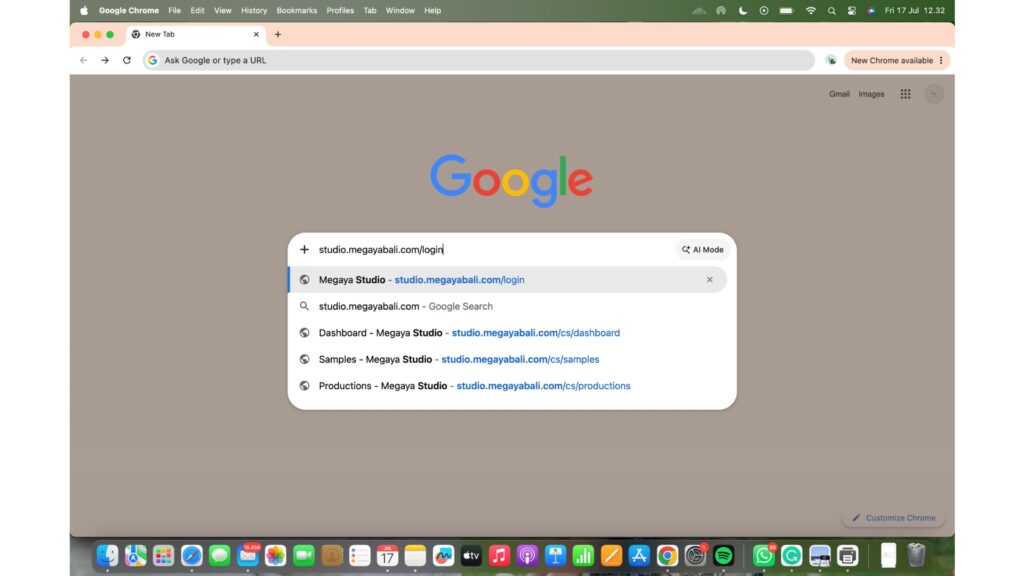
Open your web browser and navigate to studio.megayabali.com
Log In to Your Account
Enter your registered Email and Password on the login page, complete the CAPTCHA verification, and click Sign In.
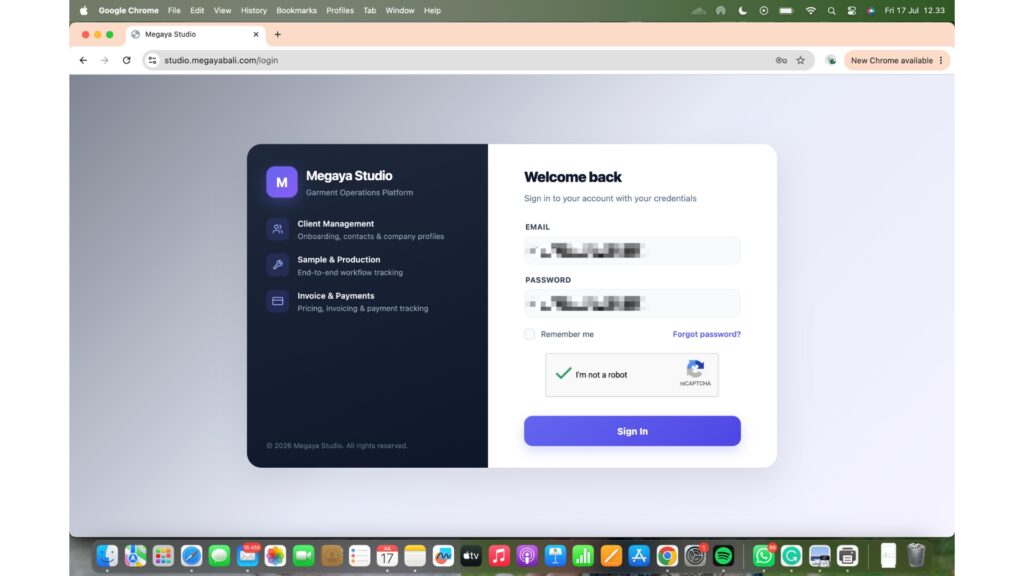
Note: If you do not have an account yet, simply send your email address to your Megaya Relation Manager, and they will set up your portal access right away.
Explore the Client Dashboard
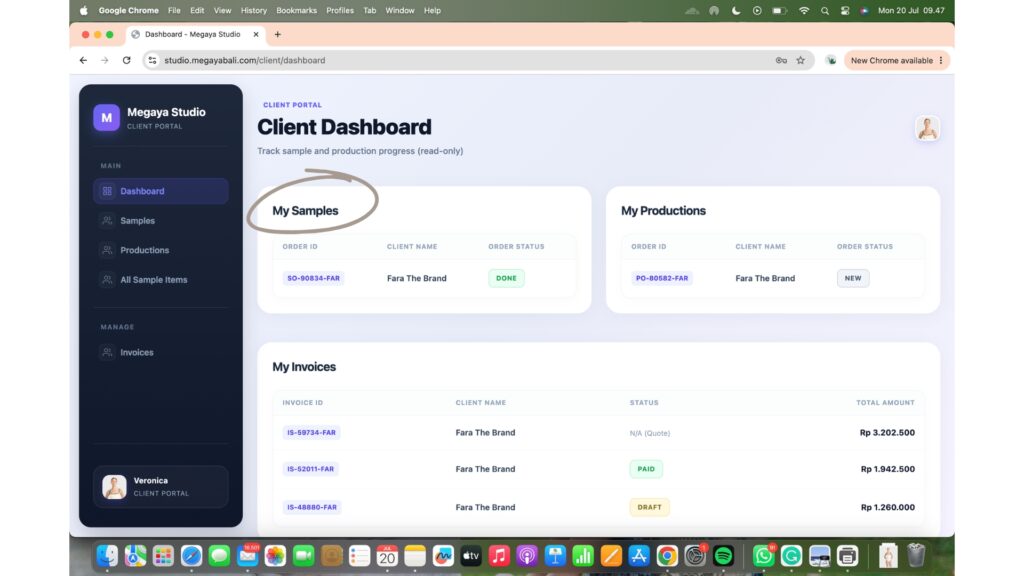
Once logged in, you will land on the Client Dashboard. This overview page displays all your active Samples, Productions, and Invoices linked to your account in one convenient view.
Track Sample Stage Live
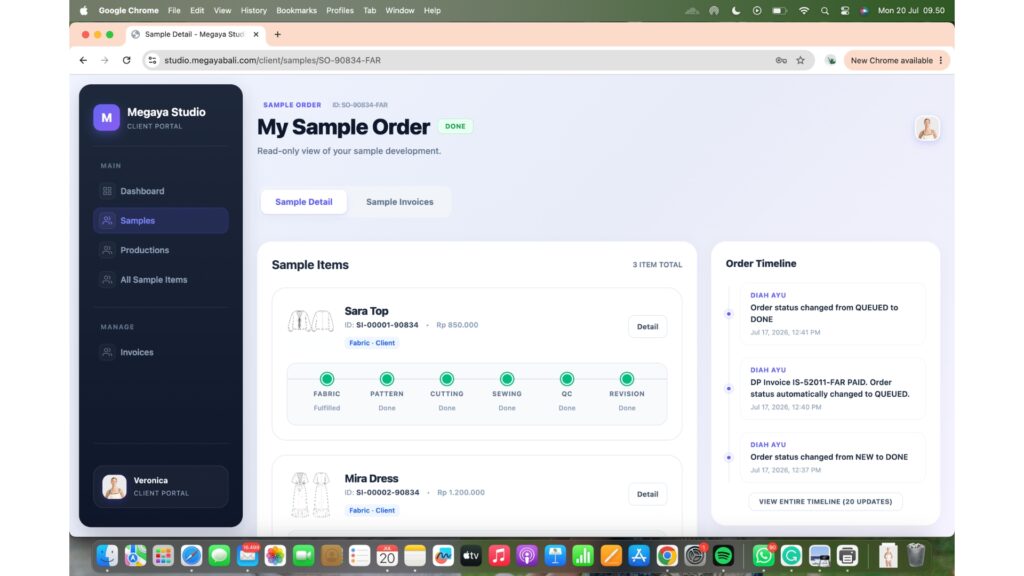
Click on any active sample order to open the detailed view. You can watch the live progress bar as your garment moves through Fabric, Pattern, Cutting, Sewing, QC, and Revision stages. You can also view the complete Order Timeline to see automatic status updates.
Review Sizing and Pricing Specs
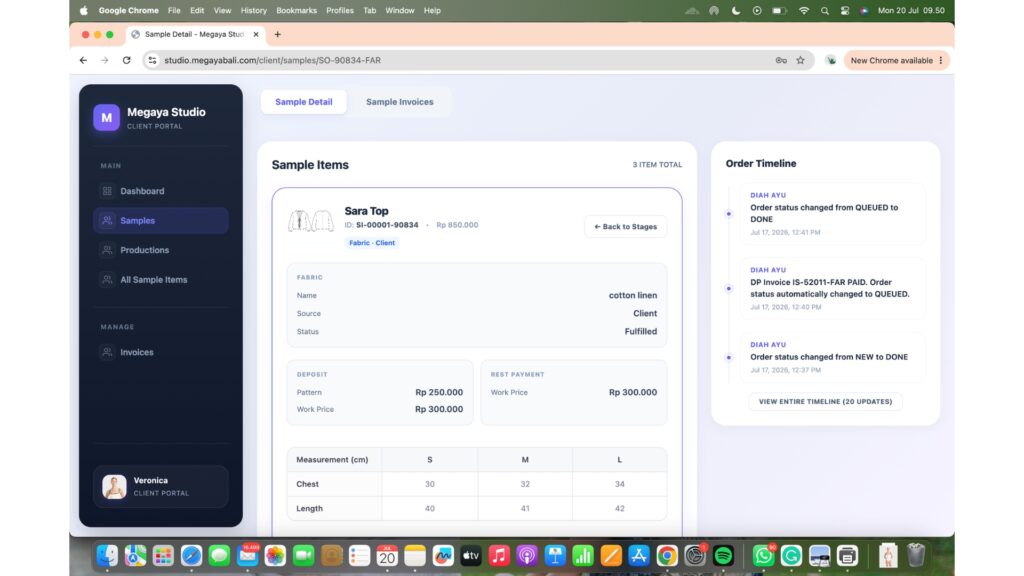
Inside the sample detail view, you can check key specifications for each piece, including:
- Fabric/Material Details (e.g., Cotton Linen, sourcing status)
- Cost Breakdowns (Pattern fees, initial workmanship costs, deposits, and final balances)
- Measurement Charts (Exact measurements in cm for sizes S, M, L across chest, length, etc.)
Monitor Bulk Production Status
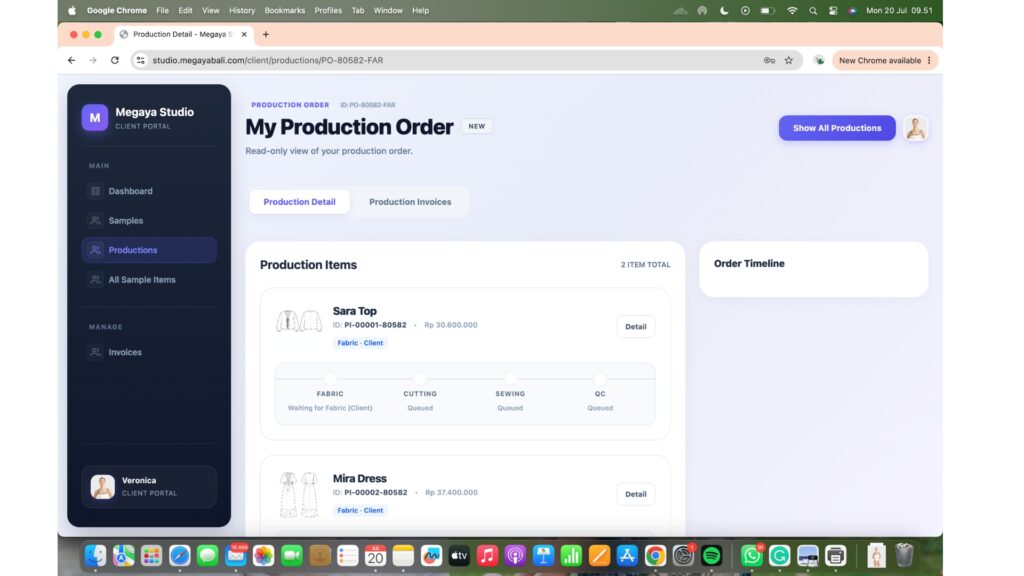
When you move into bulk production, navigate to the Productions tab. Here, you can monitor manufacturing progress across all key steps (Fabric Waiting, Cutting, Sewing, and QC).
View Order Quantities and Variants
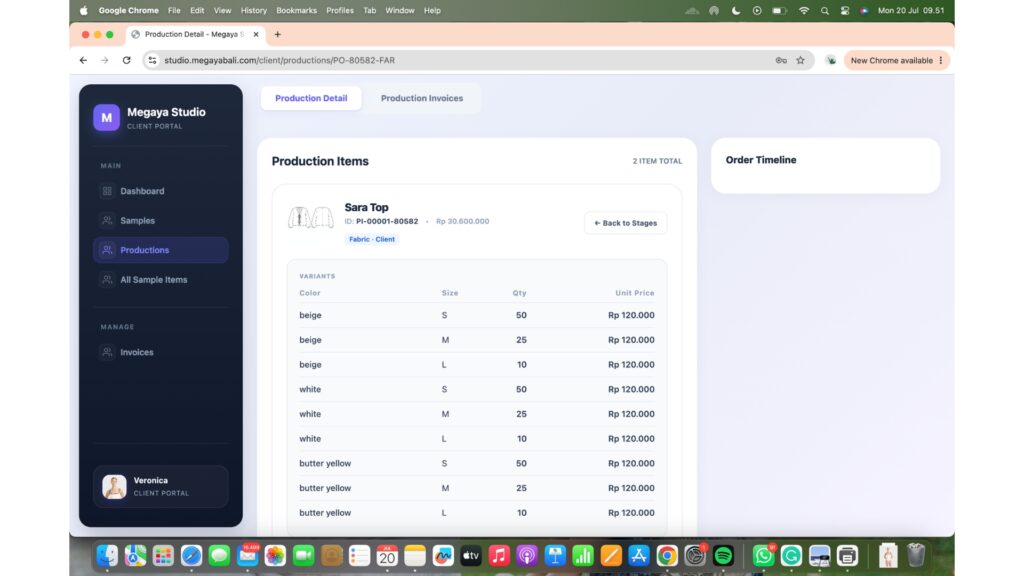
Clicking into a bulk production order reveals exact variant breakdowns. You can review color options (e.g., Beige, White, Butter Yellow), size quantities per variant (e.g., 50 Small, 25 Medium, 10 Large), and the unit price per item.
Step 8: Manage Invoices and Payment History
Select the Invoices tab from the main menu to view your complete financial overview. You can instantly check invoice statuses such as Paid, Draft, or Payment Due.
Step 9: Inspect Itemized Invoices
Click on any invoice (e.g., Down Payment Invoice) to see an itemized breakdown. It shows item descriptions, pattern creation costs, initial workmanship fees, bank transfer details (e.g., Bank BCA, Wise), and due dates.
Step 10: Download Official PDF Invoices
Need a copy for your accounting records? Simply click the Download PDF button located in the top-right Actions panel on any invoice page to save the document directly to your device.
Step 11: Browse Your Digital Sample Collection
Click on All Sample Items in the navigation menu to see a visual gallery of all flat technical sketches in your collection. Clicking Show Measurements under any garment card gives you quick access to the size specifications for that exact design.
Step 12: Manage Your Account Profile
Navigate to your Profile page to update personal details, confirm your shipping location, adjust time zone preferences, and manage account security settings.